
WooCommerce Attribution: Why Standard Analytics Undercounts Your Ad Performance
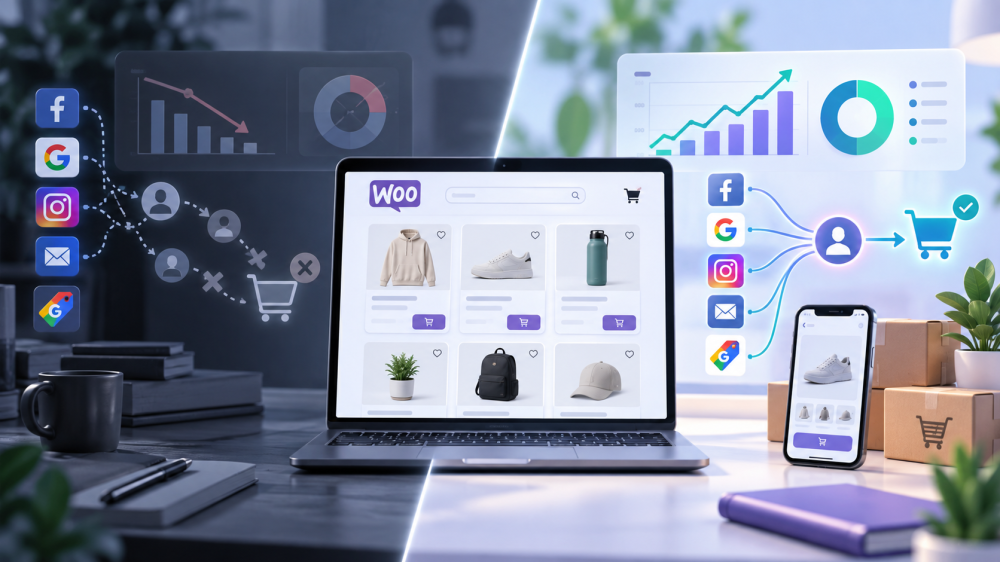
WooCommerce ad attribution has a problem most Shopify-focused content never mentions: the platform itself is more fragile to track correctly.
Not because WooCommerce is a worse platform, it runs a meaningful share of ecommerce worldwide, somewhere between 4 and 4.5 million live stores depending on whose count you trust, but because its open, plugin-based architecture creates more places for tracking to quietly break than a closed, hosted platform does.
Why WooCommerce Tracking Breaks More Often Than Shopify’s
Shopify controls the entire stack, checkout, hosting, theme rendering, so a tracking integration has a small, stable surface to work against.
WooCommerce is WordPress plus a plugin, running on whatever hosting, caching, and theme setup a store happens to have assembled.
Every one of those layers is a place tracking can fail, and none of them are controlled by WooCommerce itself.
That architecture has been especially unstable through 2026 specifically.
WooCommerce has been pushing all stores toward High-Performance Order Storage (HPOS), a structural change to how orders are stored, and tracking plugins built around the older storage model don’t automatically survive that migration.
Layer on top of that a shift, already underway since 2024, toward block-based checkout replacing the classic shortcode checkout: plugins that listen for the classic checkout’s completion hook simply have nothing to listen to anymore once a store switches.
Neither change is optional forever. Both quietly break tracking plugins that haven’t been updated to match.
The Specific Failure Points
Plugin conflicts.
- It’s common for a WooCommerce store to accumulate multiple tracking plugins over time, one for Meta, one for Google, one from an old agency engagement nobody removed.
- Each one independently fires its own version of the same purchase event, and when they compete for the same WooCommerce hooks, a single order can be reported as two, three, or four separate conversions, or as zero, depending on which plugin wins the race and which one silently fails.

Caching interference.
- WooCommerce’s own documentation advises against HTML caching on shop pages for exactly this reason, but cart, checkout, and account pages routinely end up cached anyway unless a store owner has specifically excluded them.
- Popular caching plugins like WP Rocket, LiteSpeed Cache, and W3 Total Cache all require manual exclusion rules for WooCommerce’s dynamic tracking scripts and session cookies.
- Skip that configuration, and a visitor can be served a cached version of a page that was rendered for someone else entirely, with tracking pixels that never fire correctly for the actual person converting.
No native server-side event support.
This is the structural gap underneath both problems above.
- WooCommerce ships with browser-side tracking as the default assumption, a script that has to load and execute correctly in someone’s browser, survive caching, survive ad blockers, and fire exactly once.
- There’s no built-in equivalent to a platform-level server API sending confirmed order data directly from WooCommerce’s own backend.
- Every store has to bolt that on itself, which is exactly the piece most WooCommerce installations skip.
What a Proper First-Party Setup Looks Like on a WordPress/WooCommerce Stack
The fix mirrors what a proper server-side conversions API setup looks like on any platform, adapted to WooCommerce’s specific architecture.
Start by treating WooCommerce’s own order completion hook as the source of truth, not the thank-you page rendering in a browser. A server-side event fired directly from that hook doesn’t care whether the customer’s browser blocked a script, whether the page was served from cache, or whether an ad blocker was active.
The order exists in WooCommerce’s database. That’s what should trigger the tracking event, not a JavaScript file racing to execute before the visitor closes the tab.
Consolidate to one tracking source per platform rather than layering multiple plugins that each inject their own competing scripts.
If Meta, Google, and TikTok are all being tracked through separate, independent plugins, that’s the direct cause of the duplicate-event problem described above.
One properly configured server-side integration per platform, using WooCommerce’s own hooks as the trigger, replaces the need for several plugins fighting over the same page.
Build this with the first-party versus third-party distinction in mind from the start.
Events fired from your own domain and confirmed by your own server aren’t just more reliable against caching and ad blockers, they’re the same foundation that makes attribution trustworthy rather than dependent on whichever platform is grading its own performance most generously.
Finally, audit before you assume anything is working.
A quick check with a tool like Meta Pixel Helper or Google Tag Assistant, watching what actually fires on a real test purchase, catches duplicate events and silent failures in minutes rather than months.
Given how often WooCommerce updates its own checkout and order-storage architecture, this isn’t a one-time setup task. It’s something worth re-checking after any theme, plugin, or WooCommerce core update.
If you want to see what accurate, first-party attribution looks like running on your own WooCommerce store, book a live AdBeacon demo.
—-
FAQ
Why does WooCommerce tracking break more often than Shopify’s?
WooCommerce runs on WordPress plus a plugin-based architecture, with hosting, caching, and theme decisions all made independently by each store. Shopify controls its entire stack. That extra flexibility on WooCommerce also creates more places for tracking to break, especially around caching, plugin conflicts, and structural changes like the ongoing shift to High-Performance Order Storage.
Why do I see duplicate purchase events in my WooCommerce reporting?
Usually because more than one tracking plugin is firing its own version of the same event, common when a store has accumulated a Meta plugin, a Google plugin, and possibly leftover tracking from a previous agency. Consolidating to one properly configured, server-side integration per platform resolves this.
Does caching really affect ad tracking on WooCommerce?
Yes. WooCommerce’s own documentation recommends against HTML caching on shop pages for this reason. Cart, checkout, and account pages need to be explicitly excluded from caching plugins like WP Rocket or W3 Total Cache, or tracking scripts can be served stale and fail to fire correctly for the actual visitor.
What is High-Performance Order Storage and why does it matter for tracking?
HPOS is a structural change to how WooCommerce stores order data, which WooCommerce has been migrating all stores toward. Tracking plugins built around the older storage model, or around the classic checkout that block-based checkout is replacing, can silently stop working once a store completes that migration.
Does WooCommerce support server-side conversion tracking?
Not natively. WooCommerce ships with browser-side tracking as the default, which means server-side event delivery, firing a confirmed event directly from WooCommerce’s own order-completion hook rather than depending on a script executing in someone’s browser, has to be added separately.
Sources
- Cartflows: 80+ WooCommerce Market Share Statistics (2026)
- Seresa: WooCommerce Tracking Breaks on Updates, The Fix
- Seresa: WooCommerce Pixel Audit, 15-Minute Check for Tracking Issues
- Seresa: Your Caching Plugin Is Breaking WooCommerce Conversion Tracking
- WeTracked: Meta (Facebook) Pixel WooCommerce Issues Explained & Fixed (2026)