
Click Tracking for Ecommerce Ads: How fbclid, gclid, and ttclid Actually Work
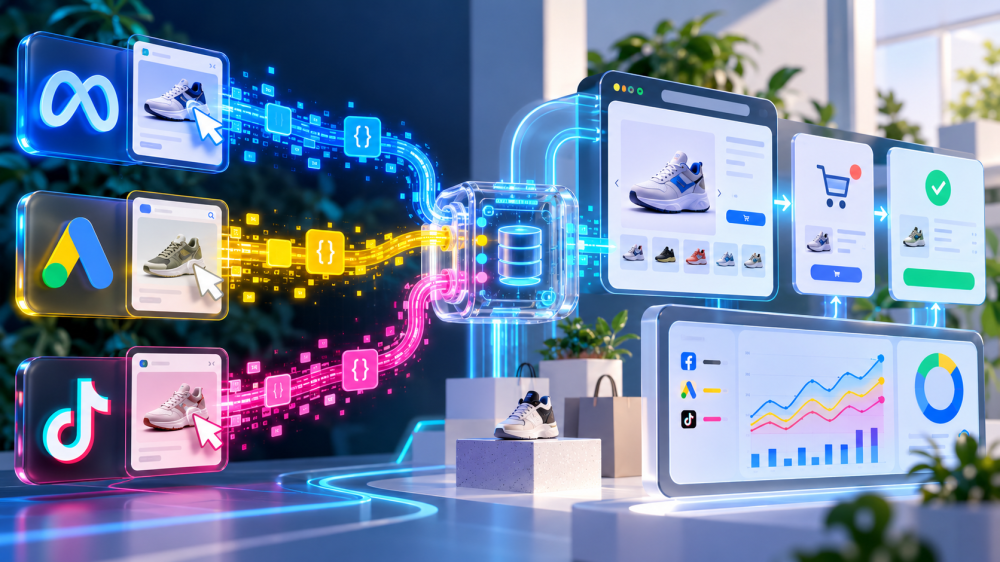
Click tracking is the mechanism underneath every ad attribution claim, and almost nobody who reads a ROAS number could describe it.
When a shopper clicks a Meta, Google, or TikTok ad, the platform appends an opaque token to the landing URL: fbclid, gclid, or ttclid.
What happens to that token in the next 200 milliseconds decides whether the purchase three days later can ever be tied back to the ad. This post explains what each click ID is, how it gets stored, what strips it in 2026, and how a first-party click record turns a token into something you can audit.
What is a click ID, and how is it different from a UTM?
A click ID is a unique, platform-generated identifier for one specific ad click, appended to the destination URL automatically and readable only by the platform that issued it.
A UTM parameter is a label you choose (utm_source, utm_campaign) that any analytics tool can read. Terminus’s click ID reference draws the line cleanly: UTMs are analytics-owned and portable, click IDs are platform-owned and opaque.
The distinction matters because the two do different jobs.
A UTM tells you which campaign the visitor came from. A click ID lets the platform match a conversion event back to the exact impression, user, and auction that produced the click. That is why click IDs raise Event Match Quality on Meta and match rate on Google, and UTMs don’t.
It is also why, when a click ID is stripped, the platform loses the thread even though your analytics still knows the campaign.
How fbclid, gclid, and ttclid each work
fbclid (Meta)
Meta appends fbclid to the landing URL on every ad click. On landing, the Meta Pixel reads it and writes a first-party cookie called _fbc, in the format fb.1.timestamp.fbclid.
- That cookie is what gets sent with browser events, and its value is what your server should forward as the fbc parameter on Conversions API events.
- Meta treats fbc as one of the two highest-weight matching keys, alongside hashed email. No _fbc means the server event arrives without the click, and the match falls to weaker signals.
gclid, gbraid, and wbraid (Google)
Google auto-tags ad clicks with gclid, which the Google tag stores in a first-party cookie and which the conversion tag or enhanced conversions payload sends back at purchase.
- Since 2021 Google has also issued two aggregate alternatives for iOS traffic: gbraid for web-to-app journeys and wbraid for app-to-web.
- They attribute at the campaign level without identifying the person, which is why Apple leaves them alone. A store sees all three in its landing URLs depending on the device and campaign type.
ttclid (TikTok)
TikTok appends ttclid automatically, and it should be captured at landing and passed with Pixel and Events API events.
- Per TikTok’s own documentation, each click ID is unique and stays valid for the click-through window configured in Attribution Manager, seven days by default.
- Miss the capture at landing and there is no second chance; unlike Meta, TikTok’s browser pixel does not reliably persist it in a cookie for you.
What strips click IDs in 2026?
Click IDs get stripped by Apple’s Link Tracking Protection, expire under Safari’s cookie limits, and get lost across devices and redirects, and the 2026 rules are more specific than most write-ups admit.
- Safari Private Browsing, Mail, and Messages: gclid, fbclid, msclkid, and similar known identifiers are removed from URLs by default. This is where most of the loss happens, and it has been the case since iOS 17. UTMs survive because they label a campaign rather than a person.
- Normal Safari browsing: gclid is not stripped by default in iOS 26. Testing reported by PPC Land found it only goes when the user enables the advanced “Tracking and Fingerprint Protection” setting for all browsing. gbraid and wbraid survive in every context.
- Safari’s seven-day cookie cap: a _fbc or gclid cookie written by JavaScript expires after seven days under Intelligent Tracking Prevention, as Cometly’s pixel limitations guide explains. A shopper who clicks on day one and buys on day nine has no click ID left in the browser, even though nothing was stripped from the URL.
- In-app browsers: the Instagram and TikTok in-app browsers can hand off to Safari or the system browser mid-journey, and the click ID does not always follow.
- Redirect hops: a payment redirect (PayPal, Shop Pay, a 3D Secure page) or a link shortener in the middle of the path can drop or overwrite query parameters.
Our post on iOS ad tracking in 2026 goes deeper on the Apple side. The practical summary: the click ID reliably exists at the moment of landing, and every second after that it is at risk.

How first-party click tracking turns a token into a record
First-party click tracking captures the click ID the instant the page loads, stores it on your own domain under your own control, and joins it to the order when the order is placed. It is the same token the platform issued.
The difference is who holds it, for how long, and what it gets connected to.
- Capture at landing. Read fbclid, gclid, gbraid, wbraid, and ttclid from the URL before anything can strip them. Read the UTMs too. This has to happen on the first page load; there is no recovering a click ID that was never seen.
- Store server-side, first-party. Write the IDs to a cookie set by your server rather than by JavaScript, which puts it outside the seven-day ITP cap, and mirror it to a session record on your backend. Now the click survives the browser.
- Follow the session on your domain. Page views, add to cart, checkout. All on infrastructure you own, all tied to the same session ID.
- Join to the order. When the order is created, connect it to the session, and through the session to the click. On Shopify, the checkout and cart tokens added to the order API in 2026 make this a direct lookup rather than a guess.
- Send the click ID back to the platform, and keep your own copy. The fbc and gclid values go out with your Conversions API and enhanced conversions payloads, raising match rates. The record stays with you.
That is what click-only attribution tracking means in practice. Every conversion it reports has a click behind it that you captured, stored, and joined yourself. It will not credit an impression that was never clicked, and it will miss the shopper who saw the ad, remembered the brand, and typed the URL a week later.
It also credits nothing on the basis of a platform’s say-so. We covered the case for that trade-off in view-through vs click-through attribution, and Meta’s March 2026 change to what counts as a click, in our post on the click definition change, made the distinction sharper: a platform “click” can now be an engagement, but a click ID in your logs is always a link click.
What to actually do
- Check whether click IDs are reaching your landing pages. Open a few recent sessions in your analytics or server logs and look for fbclid, gclid, and ttclid in the landing URL. If they are missing on desktop Chrome, something upstream (a redirect, a link shortener, a tracking template) is dropping them before Apple ever gets involved.
- Move the click ID cookie server-side. If _fbc and the gclid cookie are set by JavaScript, they die in seven days on Safari. A server-set cookie doesn’t.
- Forward fbc and gclid on every server event. This is the single highest-value parameter for platform matching and the one most often left out of Conversions API and enhanced conversions payloads.
- Keep UTMs on every ad anyway. They survive stripping, they feed Shopify’s own campaign tracking, and they are the fallback when the click ID is gone.
- Reconcile click-attributed orders against platform-attributed purchases monthly. Orders with a captured click ID are your floor: conversions you can prove. The platform’s number above that floor is view-through, engagement credit, and modeling. Knowing the size of that gap is the whole point.
Click tracking is where attribution either becomes a record or stays a claim. Capture the ID at landing, hold it yourself, join it to the order. If you want to see what a click-only, first-party attribution record looks like next to your platform-reported numbers on your own store, book a live AdBeacon demo.
—-
FAQ
What is fbclid?
fbclid is the click identifier Meta appends to a landing URL when someone clicks an ad. The Meta Pixel stores it in a first-party cookie called _fbc, and that value should be sent as the fbc parameter on Conversions API events so Meta can match the purchase to the click.
What is the difference between gclid, gbraid, and wbraid?
gclid is Google’s per-click identifier used on desktop, Android, and consenting iOS traffic. gbraid (web-to-app) and wbraid (app-to-web) are aggregate iOS alternatives that attribute at the campaign level without identifying the person, and they survive Apple’s stripping where gclid doesn’t.
Does iOS 26 strip gclid and fbclid?
In Safari Private Browsing, Mail, and Messages, yes, by default. In normal Safari browsing gclid is intact unless the user enables advanced tracking protection for all browsing. UTM parameters are never stripped.
How long is a click ID valid?
Platform side, gclid and fbclid are typically usable for up to 90 days and ttclid for the click-through window set in TikTok’s Attribution Manager, seven days by default. Browser side, a JavaScript-set cookie holding the ID expires after seven days on Safari.
What is click-only attribution?
An attribution method that credits a conversion only when a captured ad click can be joined to the order, with no credit for impressions or engagements. It undercounts some upper-funnel influence and never credits a platform’s unverifiable view-through claims.