
Why the Meta Pixel Misses Conversions on Shopify (and How to Find the Gap)
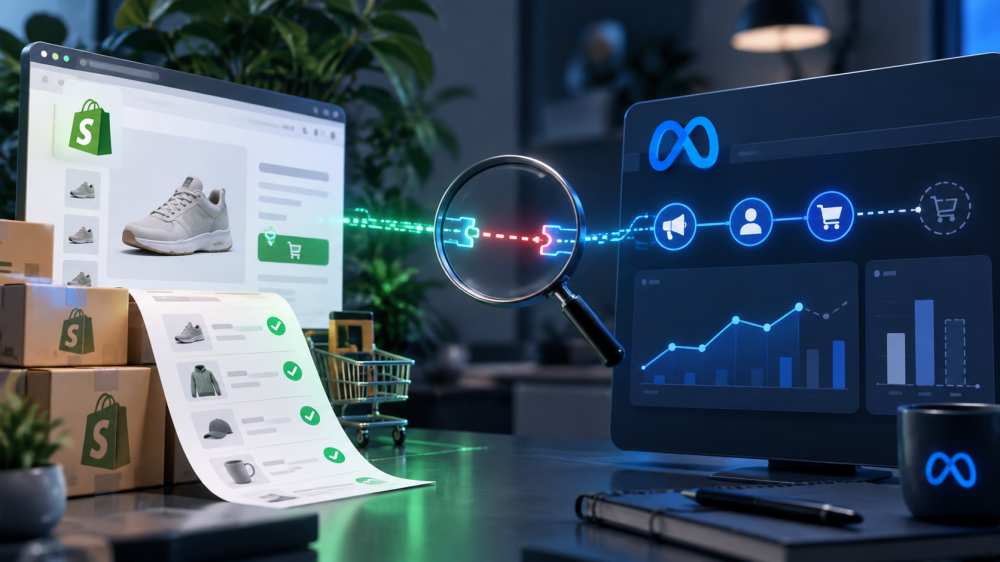
The Meta Pixel on a Shopify store misses conversions for reasons that have nothing to do with ad blockers, and 2026 added three new ones.
Shopify changed how App Pixels share data in January, retired Additional Scripts for every non-Plus store on August 26, and the checkout the Pixel runs inside is no longer a page that reliably loads.
If your Shopify tracking looked fine in July and Meta is quietly reporting fewer purchases than your orders screen in September, this is why, and here is how to measure it.
Why does the Meta Pixel miss conversions on Shopify?
The Meta Pixel misses Shopify conversions because it depends on a browser, a page load, and a cookie, and Shopify’s 2026 checkout gives it none of the three reliably. The general browser problems (Safari’s seven-day cookie cap, iOS App Tracking Transparency, ad blockers) apply to every store. The five below are specific to Shopify.
1. The thank-you page is no longer guaranteed to load
Under checkout extensibility, the checkout is a single-page application and post-purchase extensions can run additional steps after the order is placed. As Conversios notes in its checkout extensibility guide, tracking snippets that fire on a page load do not fire when there is no page load. A purchase that happens is a purchase the Pixel never sees.
2. Additional Scripts stopped running on August 26
For Basic, Shopify, and Advanced plans, the Additional Scripts field on the order status page was retired on August 26, 2026. Any Meta tracking that lived there, including server-side Conversions API calls wired to that page by older apps and custom setups, stopped. A Shopify Community thread opened the same day describes the pattern: purchases in Meta drift below Shopify orders by a margin “small enough that you would miss it unless you put the two numbers side by side.” The browser Pixel kept working, which hid the gap. We wrote up the deadline and what replaced it in our post on the Additional Scripts sunset.
3. Web Pixels run in a sandbox
The replacement, the Web Pixels API under Settings then Customer Events, runs each pixel in a sandboxed iframe that cannot read the page DOM or third-party cookies. Meta’s own app pixel is built for that sandbox. Anything you migrated by hand from Additional Scripts may be executing partially or not at all, with no error surfaced to you.
4. App Pixels now default to “Optimized”
On January 13, 2026, Shopify switched App Pixels from always-on to an Optimized mode that pauses data sharing when a pixel shows no attribution signals for days or weeks. The Meta integration installed through the Shopify app is an App Pixel. If Shopify decides it isn’t producing signals, it stops feeding it, and the first symptom is a drop in matched events. Our Q4 first-party data checklist includes this setting for exactly that reason.
5. Your data-sharing level decides whether CAPI exists at all
Inside the Meta sales channel, Shopify offers three data-sharing levels. Per Shopify’s help center, Standard sends browser Pixel data only. Enhanced and Maximum add the Conversions API, sending purchase events server to server with the customer’s name, email, phone, and location. A store on Standard has no server-side backstop, so every browser failure above is a lost conversion, full stop. A surprising number of stores have never changed it.

How to find the gap between Meta and Shopify
The gap is measurable once you stop comparing two numbers and start comparing three. Bily’s reconciliation method frames it well: Shopify’s paid orders, the Purchase events Meta actually received, and the purchases Meta attributed to ads are three different sets, and each pair tells you something different.
- Shopify orders. Paid orders, tests and cancellations excluded, for a fixed window in the store’s time zone. This is your anchor.
- Meta received events. In Events Manager, open the Purchase event for the same window and note the total, then the split between browser and server. This is the number that tells you whether tracking works.
- Meta attributed purchases. The Purchases column in Ads Manager under your attribution setting. This is the number that tells you what Meta is taking credit for.
Read them in pairs:
- Orders minus received events is your tracking gap. If it widened after August 26, look at the browser-versus-server split. A server count that fell to near zero while browser held steady is the Additional Scripts failure.
- Received events minus attributed purchases is your attribution gap. Those are real purchases Meta saw but could not tie to an ad, either because the buyer never clicked or because Event Match Quality was too low to connect them.
- Attributed purchases greater than orders means the problem runs the other way: view-through credit or a deduplication failure between Pixel and CAPI. WeltPixel’s cause list also flags time zone mismatch and Meta’s practice of dating a purchase to the ad interaction rather than the order, both worth ruling out before you blame the Pixel.
Run this once and you know which of the five causes above you have. Run it monthly and you catch the next Shopify change before it costs you a quarter of optimization signal.
What to do about it
- Confirm the Meta channel is connected through Customer Events, not a leftover script. Settings, then Customer Events, then check the Meta app pixel is present and active. Delete any duplicate Meta code still sitting in theme files or old apps.
- Move the data-sharing level to Enhanced or Maximum. Standard is Pixel only. You want the server path.
- Verify the server side is actually arriving. Place a test order, then check Events Manager for a Purchase with both a browser and a server source and one deduplicated count. If only browser shows up, reconnect the channel.
- Check the Optimized setting. If Shopify paused the pixel, you’ll see it in the Customer Events status. Turn it back to always-on for Meta if your plan allows it.
- Keep a first-party click record that doesn’t depend on any of this. Everything above improves what Meta receives. None of it gives you a number Meta didn’t produce.
First-party, click-only attribution captures the click ID when the shopper lands, follows the session on your domain, and ties the Shopify order to the ad that sent it, independent of whether the Pixel fired, whether Shopify paused the app, or which attribution window Meta applied.
Shopify’s own data is accurate but isolated; the click record is what connects it to your ads. And if you’ve done all of this and iOS numbers still look wrong, this post covers why.
Shopify changed the ground the Meta Pixel stands on three times this year, and Meta’s reporting doesn’t tell you when it slips. The three-number check does. If you want to see how your Shopify orders line up against a click-only, first-party attribution record on your own store, book a live AdBeacon demo.
—-
FAQ
Why is Meta showing fewer purchases than Shopify?
The usual causes in 2026 are browser blocking, the August 26 retirement of Additional Scripts breaking server-side purchase events, Shopify pausing an App Pixel under the Optimized default, or a Standard data-sharing level with no Conversions API. Compare Shopify orders to Meta’s received Purchase events to see which.
Does the Meta Pixel still work on Shopify after checkout extensibility?
Yes, through Shopify’s Web Pixels API under Customer Events, which runs the official Meta app pixel in a sandbox. Legacy Pixel code in Additional Scripts or theme files no longer runs on checkout pages for non-Plus stores.
What Shopify data-sharing level should I use for Meta?
Enhanced or Maximum. Both add the Conversions API, which sends purchases server to server with customer identifiers. Standard sends browser Pixel data only and loses every conversion the browser drops.
How do I check if Shopify is sending server-side events to Meta?
In Meta Events Manager, open the Purchase event and look at the source breakdown. A healthy setup shows both browser and server events with deduplication applied. Server at or near zero means the Conversions API path is broken.
What is the Optimized App Pixel setting in Shopify?
A default introduced January 13, 2026, under which Shopify pauses data sharing for an App Pixel that shows no attribution signals for days or weeks. It affects App Pixels only, not Custom Pixels or server-side integrations.
Sources
- Conversios: Shopify Checkout Extensibility Tracking, Fix Missing Purchase Events
- Shopify Community: Meta Reporting Fewer Purchases Than Shopify After the Aug 26 Checkout Upgrade
- Shopify Help Center: Meta Data Sharing
- Bily: Meta vs Shopify Purchases, a Reconciliation Method
- WeltPixel: Meta Ads Manager Shows Fewer Purchases Than Shopify, Causes and the Fix