
UTM Campaign Tracking for Ecommerce: A Naming Convention That Survives Attribution
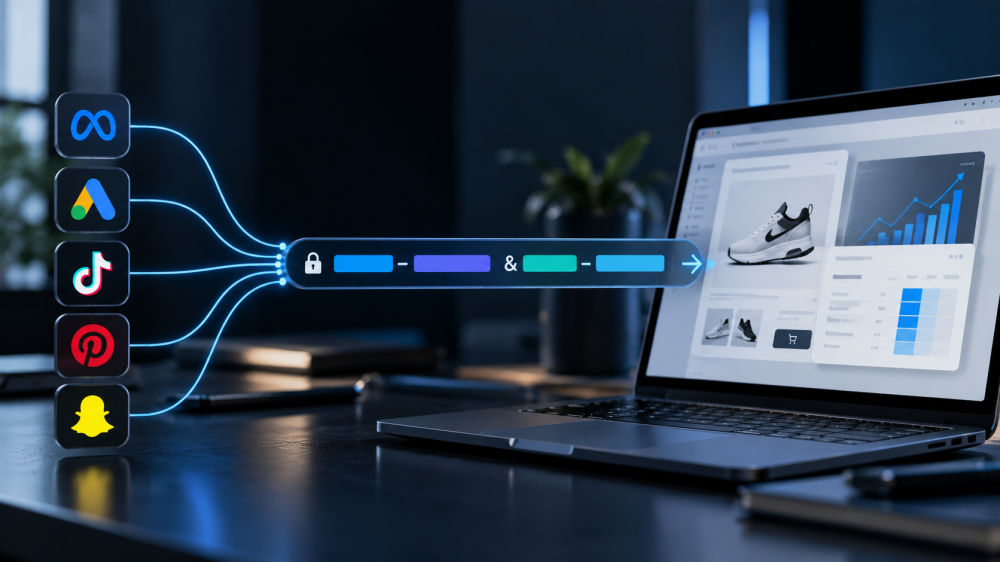
UTM campaign tracking is the oldest tool in the stack and, in 2026, one of the few that still works everywhere.
- Click IDs get stripped by Apple.
- Pixels get blocked.
- Server-side events need a match.
- A UTM parameter is a plain label on a URL, it survives all of that, and Shopify reads it directly into the order’s conversion summary.
The catch is that it only works if the labels are consistent, and most stores’ UTMs are a five-year accumulation of whoever set up each campaign.
This post gives you a convention that holds up across Meta, Google, and TikTok, the dynamic macros that fill it automatically, and the three platform-specific mistakes that quietly break it.
Why does UTM campaign tracking still matter in 2026?
UTMs matter because they are the only campaign identifier that every system in your stack can read. Meta reads fbclid, Google reads gclid, TikTok reads ttclid, and none of them read each other’s.
Shopify reads UTMs. GA4 reads UTMs. Your warehouse, your email tool, and your attribution platform read UTMs. And Apple’s Link Tracking Protection leaves them alone, because they label a campaign rather than identify a person.
On Shopify specifically, the UTMs on the landing URL are what the order’s conversion summary shows and what the marketing reports attribute against, credited to the most recent source before purchase, as Cometly’s guide to Shopify UTM attribution explains.
An ad with no UTMs lands as direct, and Shopify’s otherwise accurate data credits nobody.
The naming convention: five rules
A convention that survives attribution is one that produces the same string for the same thing every time, from every platform, forever. Five rules get you there.
- Use IDs, not names, for anything that can be renamed. utm_campaign should carry the campaign ID, not “spring_sale_v2.” Campaign names get edited; IDs don’t. A renamed campaign under a name-based convention splits its history into two rows that never reconcile. Every major platform exposes the ID as a macro, so there is no manual work.
- Lowercase everything. Shopify, GA4, and most tools treat “Facebook” and “facebook” as different sources. One capital letter in one ad set creates a phantom channel.
- Fix the vocabulary for utm_source and utm_medium. Decide once. Source is the platform (facebook, google, tiktok, klaviyo). Medium is the buying model (cpc, paid_social, email). Write the list down and reject anything not on it.
- Assign each level of the ad hierarchy to a fixed slot. Campaign ID in utm_campaign (and utm_id, which GA4 uses for campaign matching). Ad set or ad group ID in utm_term. Ad or creative ID in utm_content. Same slot on every platform, so a report grouped by utm_content is always grouped by creative.
- Never hand-type a UTM. Use the platform’s dynamic macros so the values come from the platform’s own database. Hand-typed UTMs are where typos, capitals, and stale names come from.
The resulting URL looks the same from every platform: source and medium from the fixed list, then three IDs. Ugly, stable, and machine-readable.

How to fill the convention on Meta, Google, and TikTok
Each platform has macros that substitute live values at click time, and each has one trap.
Meta ads
Meta’s dynamic parameters use double braces and go in the URL Parameters field at the ad level, not in the destination URL, per utm.new’s guide to Meta dynamic parameters. A convention-compliant string:
- utm_source=facebook&utm_medium=paid_social&utm_campaign={{campaign.id}}&utm_id={{campaign.id}}&utm_term={{adset.id}}&utm_content={{ad.id}}
The trap: never add fbclid manually. Meta appends it itself, and a second copy breaks the _fbc cookie that ties Pixel events back to the click. Also note {{site_source_name}} if you want to split Facebook from Instagram placements without inventing a new source value.
Google Ads
Leave auto-tagging on and put your UTMs in the Final URL Suffix at the account level. Auto-tagging supplies gclid for Google’s own attribution and Smart Bidding; the UTMs supply campaign data for everything outside Google.
GA4 will use the auto-tagged values for its standard source, medium, and campaign fields and put your manual UTMs in the Manual dimensions, as Terminus’s 2026 guide lays out. Both are needed. A convention-compliant suffix:
- utm_source=google&utm_medium=cpc&utm_campaign={campaignid}&utm_id={campaignid}&utm_term={adgroupid}&utm_content={creative}
The trap: Performance Max resolves fewer ValueTrack parameters than Search, and {keyword} comes back blank there. Expect less granularity from PMax and don’t build reports that assume it.
TikTok ads
TikTok’s macros use double underscores and are set in the ad’s destination URL section. The trap is the naming: __AID__ is the ad group, __CID__ is the creative, and the campaign is __CAMPAIGN_ID__, as utm.new’s TikTok macro guide warns.
Substitution works either way, so a mislabeled setup never errors; it just files ad groups under campaigns silently. A convention-compliant string:
- utm_source=tiktok&utm_medium=paid_social&utm_campaign=__CAMPAIGN_ID__&utm_id=__CAMPAIGN_ID__&utm_term=__AID__&utm_content=__CID__
The mistakes that break attribution
Beyond the platform traps, four convention failures show up on almost every store audit:
- Mixed sources for one platform. facebook, Facebook, fb, meta, and instagram all appearing as utm_source. Shopify and GA4 see five channels. Pick one.
- Names in utm_campaign. The campaign gets renamed for Q4 and its September history disappears from the row.
- Empty utm_content. Creative-level reporting is impossible, which is where most media buying decisions live.
- UTMs on internal links. A UTM on a link from your homepage to a product page overwrites the session’s original source with “homepage.” Internal links never carry UTMs.
Our attribution setup audit includes a UTM pass for exactly these.
What UTMs can and can’t do for ad campaign tracking
A clean UTM convention gets you consistent campaign labels in every system, Shopify’s last-touch attribution working as designed, and creative-level reporting anywhere UTMs are read.
It is the foundation of any marketing tracking that spans more than one platform. It does not get you the click itself.
A UTM says “this session came from campaign 1234.” It does not prove a specific ad click happened, it does not survive a shopper who lands via a UTM and buys from a bookmark a week later, and Shopify’s use of it is last-touch only.
That is where a first-party click record picks up.
- Capture the UTMs and the click ID together at landing, store them on your own domain, follow the session, and join the order to both.
- The UTM tells you the campaign and creative in your own vocabulary.
- The click ID proves the click.
Together, joined to the order through your own session record rather than a platform’s, they are what click-only attribution runs on. It won’t credit views or engagement, and it undercounts some upper-funnel influence, but every attributed order carries a campaign label you chose and a click you captured.
Cross-channel attribution covers what that looks like across platforms.
What to actually do
- Write the vocabulary. One page: allowed utm_source values, allowed utm_medium values, which ID goes in which slot. Share it with everyone who touches an ad account.
- Set account-level templates on all three platforms using the strings above. Meta URL Parameters, Google Final URL Suffix, TikTok destination URL. Account level means new campaigns inherit them.
- Audit the last 90 days of Shopify orders. Export conversion summaries, group by utm_source. Every value not on your list is a legacy campaign to fix or a link to clean up.
- Strip UTMs from every internal link and email template. Email gets utm_source=klaviyo on the link from the email, not on links inside the site.
- Capture UTMs and click IDs together at landing, first-party. The convention makes the labels consistent. Capturing them yourself makes them yours.
A UTM convention is boring infrastructure, and it is the reason a Shopify order can say which creative brought it in. IDs, lowercase, fixed vocabulary, one slot per level, macros not typing. If you want to see campaign tracking built on that convention and joined to a click-only, first-party attribution record on your own store, book a live AdBeacon demo.
—-
FAQ
What is the best UTM naming convention for ecommerce?
Lowercase everything, use a fixed list of utm_source and utm_medium values, put IDs rather than names in utm_campaign, utm_term, and utm_content, and fill them with each platform’s dynamic macros instead of typing.
Should I use auto-tagging or UTMs for Google Ads?
Both. Auto-tagging supplies gclid for Google’s attribution and bidding. UTMs in the Final URL Suffix supply campaign data for Shopify, your warehouse, and every non-Google tool. GA4 reads the auto-tagged values first and stores manual UTMs in separate Manual dimensions.
What are Meta’s dynamic UTM parameters?
Double-brace macros such as {{campaign.id}}, {{adset.id}}, {{ad.id}}, {{campaign.name}}, {{placement}}, and {{site_source_name}}, entered in the URL Parameters field at the ad level. Never add fbclid manually; Meta appends it and a duplicate breaks the _fbc cookie.
What is the TikTok __AID__ and __CID__ trap?
__AID__ resolves to the ad group and __CID__ to the creative, not to the ad and campaign their names suggest. The campaign ID is __CAMPAIGN_ID__. The substitution never errors, so a mislabeled setup files data under the wrong level silently.
Do UTM parameters get stripped by iOS?
No. Apple’s Link Tracking Protection removes click identifiers like gclid and fbclid in Private Browsing, Mail, and Messages, but leaves UTM parameters intact because they label a campaign rather than identify a person.