
What a Shopify Integration Should Pull Into Your Attribution Tool: Orders, Refunds, Discounts, Subscriptions
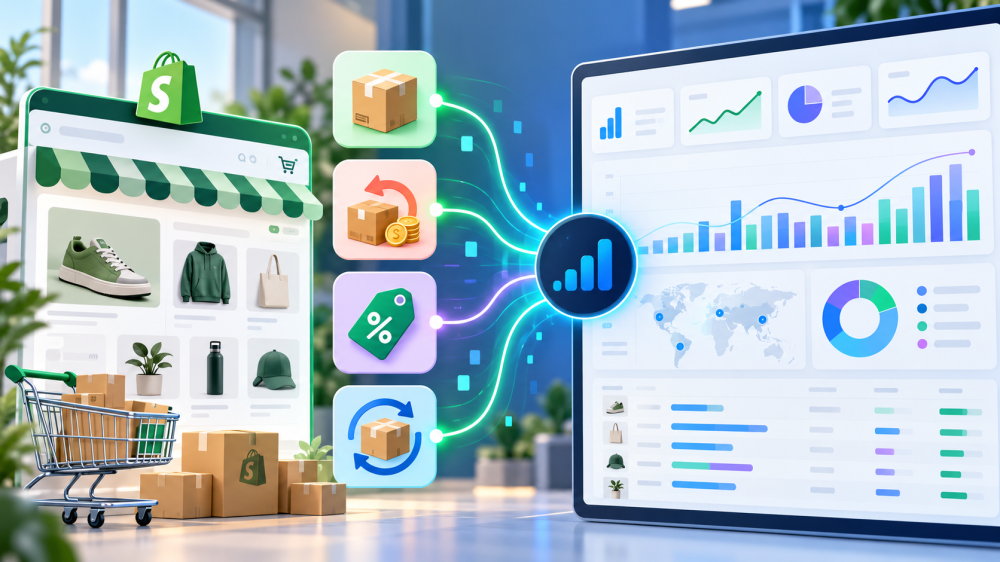
Every attribution tool claims a Shopify integration. Almost none of them tell you what it pulls, and the difference between “syncs orders” and “syncs the order data attribution actually needs” is the difference between a ROAS you can defend and one that quietly overstates by the size of your discount and refund rates combined.
This post is the list. It covers the seven things a Shopify integration has to bring across, why each one changes the number, what changed in Shopify’s API in 2026, and the questions to ask a vendor before you sign.
What should a Shopify integration pull for attribution?
A Shopify integration for attribution should pull the full order record, not just the sale: line items with discounts applied, refunds as separate events, subscription and customer status, and the session tokens that let the order be joined back to a click.
Treat Shopify orders as the financial anchor and reconcile everything else to them by order ID, as Attribuly’s buyer’s guide puts it. Here is what that means field by field.
1. Orders, with the right revenue figure
Shopify exposes several revenue numbers on an order: subtotal, total, total after discounts, and, since the 2026-07 API, a line-item field for price after all discounts before taxes, per the 2026-07 release notes.
Ask which one the integration uses for attributed revenue.
A tool reading the pre-discount total on a store that runs 20 percent off codes is inflating ROAS by exactly that margin. You want revenue net of discounts and, ideally, net of tax and shipping, because none of those dollars are margin.
2. Line items and discount allocations
Discounts on Shopify are allocated at the line-item level. An order-level “20% off” is split across products, and automatic discounts, discount codes, and subscription discounts each land differently.
An integration that only reads the order total can’t tell you which products, and therefore which product ads, are actually profitable.
It also can’t handle the case where a discount code is the attribution signal itself, which for influencer and affiliate campaigns it often is.
3. Refunds, as their own event with their own date
A refund on Shopify is a separate object with its own timestamp, not a modification of the original order. An integration that syncs orders once and never revisits them reports the sale forever.
The refund may arrive three days later or thirty.
Attributed revenue that doesn’t subtract refunds is the most common reason a tool’s ROAS looks better than the bank account, and on categories with high return rates (apparel, footwear) it is the whole story. Ask whether refunds are synced continuously and applied back to the original order’s attribution.
4. Subscription status: first order or renewal
A subscription’s first order comes through checkout, after a click. Its renewals are generated by the subscription contract, with no checkout and no click.
Shopify subscription apps tag orders accordingly, typically with a “First Order” or “Recurring Order” tag, as Littledata’s documentation describes.
An integration that doesn’t read those tags credits the ad that acquired the customer with every renewal for the life of the subscription, which makes acquisition ROAS look extraordinary and makes it impossible to see what a first order actually cost.
5. Customer status: new or returning
Shopify knows whether the customer on an order has ordered before.
That flag is what separates new customer revenue from repeat revenue, and it is the input for new customer acquisition cost, which we’ve argued is the number to run a growth budget on.
An integration that pulls orders without customer history can report ROAS but not nCAC, and blended ROAS on a store with strong retention hides a lot.
6. Checkout and cart tokens
This is the field that makes attribution possible rather than approximate.
The 2026-07 API added checkoutToken and cartToken to the order object, which means an order can be joined to the session that produced it, and that session can be joined to the click ID captured at landing.
Without a session join, an integration is guessing from UTMs and timing. With it, the chain from ad click to order is a lookup.
7. Sales channel attribution
Also new in 2026-07: an Order.attribution field that resolves which sales channel created the order (online store, POS, Shop app, a marketplace), replacing the older channelInformation field, per Shopify’s developer changelog.
This is sales-channel attribution, not marketing attribution, and the distinction matters: it tells you a POS order should be excluded from ad measurement, not which ad drove a web order.
A good integration uses it as a filter. A vendor who describes it as “Shopify’s built-in attribution” doesn’t understand it.

What changed in Shopify’s API in 2026, and why it matters for your vendor
Two things happened that determine whether an integration is current or coasting.
- The REST Admin API is legacy. New apps have been required to use GraphQL since October 2024, and public apps on deprecated endpoints face delisting, install warnings, or blocked installs, as Lazer Technologies’ migration guide lays out. An attribution tool still on REST for orders is running on borrowed time, and it can’t read the new fields above at all.
- The 2026-07 and 2026-10 versions added the fields that matter. Checkout and cart tokens, the post-discount line-item price, the Order.attribution channel field, and a simpler subscription contract API. A vendor on a 2025 API version is missing every one of them.
The question to ask is not “do you integrate with Shopify” but “which API version is your Shopify integration on, and when did you last update it.” A vendor who can answer in one sentence has an engineering team paying attention.
Seven questions to ask before you trust a Shopify data integration
- Which revenue field do you use for attributed revenue, and is it net of discounts, tax, and shipping?
- Do you sync refunds continuously, and do they reduce the attributed revenue of the original order?
- How do you handle subscription renewals? Are they excluded from acquisition attribution?
- Do you pull new-versus-returning customer status, and can I see new customer ROAS separately?
- Do you read line-item discount allocations, or only the order total?
- Do you join orders to sessions using checkout or cart tokens, or infer from UTMs and timing?
- Which Shopify API version are you on, GraphQL or REST, and when was it last updated?
If a vendor stumbles on more than two of these, the integration is a sync, not an attribution feed. That is fine for a dashboard. It is not fine for deciding where next month’s budget goes.
What to actually do
- Audit your current tool against the seven fields. Pick ten recent orders that include a discount, a refund, and a subscription renewal. Check how each one appears in your attribution tool’s revenue. You will know in twenty minutes whether the integration is reading the whole order.
- Reconcile monthly by order ID. Shopify paid orders net of refunds for a closed month versus attributed revenue in the tool. The gap should be explainable by orders with no click. If it isn’t, the integration is the problem.
- Exclude what shouldn’t be attributed. POS and marketplace orders via channel attribution. Subscription renewals via tags. Draft orders and tests.
- Ask for the API version in writing. It is a fair question and a fast tell.
- Pair the order feed with a click record you own. Everything above is about getting Shopify’s side right. The other half is the ad side: a click ID captured when the shopper lands, a session followed on your own domain, and a join to the order through those same tokens.
- That is what first-party, click-only attribution is. It reads your orders, so it nets refunds and skips renewals because your order data does. It won’t credit views or engagement and will undercount some upper-funnel influence, but every dollar it reports is a dollar Shopify recorded, attached to a click you can inspect.
- Shopify’s data is accurate but isolated; the integration is the bridge, and the fields above are what has to cross it. For the broader vendor comparison, our attribution tools buyer’s guide covers the field.
A Shopify integration is only as good as the fields it pulls, and most of the fields that change the number are the ones vendors don’t mention. Ask about refunds, renewals, discounts, and tokens before you ask about dashboards.
If you want to see what a full-order Shopify integration looks like next to a click-only attribution record on your own store, book a live AdBeacon demo.
—-
FAQ
What data should an attribution tool pull from Shopify?
The full order record: revenue net of discounts, line items with discount allocations, refunds as separate dated events, subscription first-order versus renewal tags, new-versus-returning customer status, checkout and cart tokens for session joins, and sales channel attribution to filter non-web orders.
Why does my attribution tool show more revenue than Shopify?
Usually because it reads the pre-discount order total, never subtracts refunds, or credits subscription renewals to the original acquisition ad. Reconcile ten orders that include each case and the cause is obvious.
Should subscription renewals be included in ad attribution?
Not in acquisition attribution. Renewals are generated by the subscription contract with no checkout and no click. Include them in customer lifetime value, exclude them from the ROAS of the ad that acquired the customer.
What is Shopify’s Order.attribution field?
A field added in API version 2026-07 that resolves which sales channel created an order (online store, POS, Shop app, marketplace). It is sales-channel attribution, useful for filtering, not marketing attribution.
Does it matter if my attribution tool uses Shopify’s REST or GraphQL API?
Yes. REST is legacy, apps on it face delisting or install warnings, and the 2026 order fields (checkout tokens, post-discount line-item price, channel attribution) are GraphQL only. Ask your vendor which version they are on.
Sources
- Attribuly: Shopify Attribution Software, Complete Buyer’s Guide 2026
- Shopify Developer Release Notes: 2026-07
- Littledata Help Center: Tracking Subscription Orders in the Shopify Checkout
- Shopify Developer Changelog: Configure Order Attribution for Sales Channel Apps
- Lazer Technologies: Shopify’s REST API Deprecation and GraphQL Migration Guide