
Shopify Conversion Tracking: How to Set It Up So Ad Platforms and Shopify Finally Agree
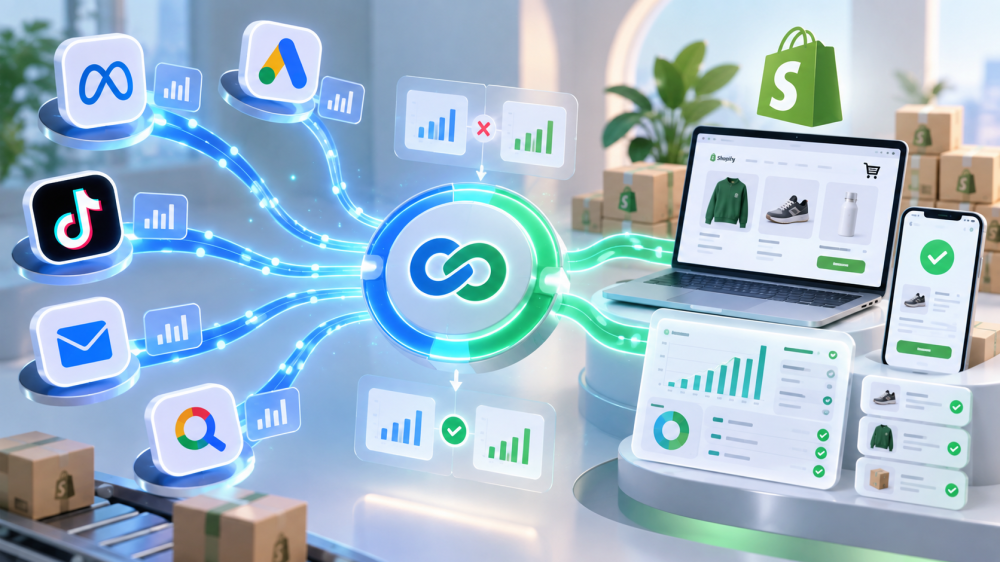
Shopify conversion tracking has one job: make sure the purchases Shopify records are the purchases your ad platforms see, with the right ad getting the credit.
In 2026 that job got harder three separate times, when Shopify changed its App Pixel default in January, when it retired Additional Scripts for non-Plus stores in August, and when every platform tightened what it does with browser data in between.
Let’s examine why the numbers disagree, how to set up Meta, Google, and TikTok on a Shopify store so the disagreement is explainable rather than mysterious, and how to check your work.
Why do Shopify and ad platforms never agree?
Shopify and ad platforms disagree because they count different things on different dates using different rules, and no amount of setup makes them identical. Setup makes the gap small, stable, and explainable. That is the goal.
Three things drive the gap:
- The attribution model. Shopify’s marketing reports default to last non-direct click over a 30-day window, and offer first click, any click, and linear as per-report alternatives, per WeltPixel’s guide to Shopify attribution. Meta defaults to 7-day click plus 1-day engage and 1-day view. Google credits within its own window. Each platform credits itself for the same order.
- The date. Shopify books a sale on the day the order was placed. Google Ads files the conversion under the day of the click. Meta files it under the day of the ad interaction, inside its window. One sale, four different dates, which is why daily comparisons are meaningless and monthly ones need a two-week lag.
- Delivery. Before any of that, the platform has to receive the event. Browser blocking, Safari’s cookie limits, consent banners, and the 2026 Shopify checkout changes all drop purchases before they reach Meta or Google at all.
The first two are structural. Setup cannot fix them, only make them predictable. The third is what setup is for.
How to set up Shopify conversion tracking for Meta
On a Shopify store, Meta conversion tracking runs through the Facebook and Instagram sales channel, which installs an App Pixel under Customer Events and, depending on one setting, a server-side Conversions API connection. Four checks:
- Install through the sales channel, not a theme snippet. Since August 26, 2026, Additional Scripts no longer run for Basic, Shopify, and Advanced plans. Any Meta code that lived there is dead. Settings, then Customer Events, then confirm the Meta app pixel is present. Delete anything else.
- Set data sharing to Enhanced or Maximum. Standard is browser Pixel only. Enhanced and Maximum add the Conversions API and send hashed name, email, phone, and location with each purchase, per Shopify’s data-sharing documentation. This is the difference between an Event Match Quality of 6 and one above 8.
- Check the Optimized setting. Since January 13, 2026, Shopify pauses an App Pixel that shows no attribution signals for days or weeks, as ALM Corp documented. If the Meta pixel has been paused, you will see it in Customer Events. Switch it to always-on if your plan allows.
- Verify deduplication with a test order. In Meta Events Manager, one order should produce one browser Purchase and one server Purchase merged into a single deduplicated event. Two separate rows means double counting. We covered the mechanics in our post on the Additional Scripts deadline.

How to set up Shopify conversion tracking for Google Ads
The Google and YouTube sales channel handles Google Ads conversion tracking and enhanced conversions natively on Shopify, and for most stores it is the right path.
Enhanced conversions attach hashed email, phone, and address to the purchase so Google can match it to a signed-in account when the cookie is gone, per WeltPixel’s enhanced conversions setup guide.
- Connect the Google and YouTube channel and link the Ads account. Let it create the Purchase conversion action rather than building your own alongside it. Two Purchase actions from two sources is the Google version of the dedup problem.
- Confirm enhanced conversions is on in Google Ads, not just in Shopify. Goals, then Conversions, then Diagnostics. The rating should read Good. Fair or Poor usually means consent is blocking the ad_user_data signal or the action is misconfigured.
- Mark Purchase as the primary conversion action. Add-to-cart and begin-checkout can stay as secondary, observation-only actions. Bidding on micro-conversions is how Smart Bidding ends up optimizing for cart adds.
- Turn on consent mode. Shopify’s customer privacy settings pass consent state to Google. Without it, EU and UK conversions are modeled or dropped. Our post on Google Ads attribution gaps covers what that modeling does to the numbers.
How to set up Shopify conversion tracking for TikTok
TikTok is the platform where Shopify’s native integration falls furthest short. The TikTok sales channel installs a browser pixel through Customer Events, and as of 2026 it still does not include server-side Events API support, as WeltPixel’s TikTok setup guide confirms.
A Shopify store on the native app is browser-only on TikTok, subject to every blocking and cookie problem, with no server backstop.
- Install the TikTok channel for the pixel. It is the correct browser layer.
- Add a separate Events API integration if TikTok spend is meaningful. A third-party app or a server-side tag setup. Match event_id to the order number on both sides so TikTok deduplicates.
- Expect a wider gap than Meta or Google. Until the server side exists, TikTok will undercount, and TikTok’s own attribution settings will overcount from the other direction.
The Shopify-side settings that decide what everyone else sees
Two settings inside Shopify determine what data the platforms get before any platform setting matters.
- UTM parameters on every ad. Shopify’s own attribution reads the landing URL and referrer. An ad with no UTMs lands as direct and Shopify credits nobody. Payment redirect hops (PayPal, Shop Pay) can also overwrite the source. Tag every ad and keep the naming consistent.
- Customer privacy and consent. Under Settings, then Customer privacy, Shopify controls whether pixels fire before consent in regions that require it.
- Requiring consent everywhere loses a share of every platform’s tracking; requiring it nowhere is a compliance problem in the EU and UK. Set it deliberately, and check the Optimized default on every App Pixel while you’re there.
How to verify that your platforms and Shopify agree
Agreement means a stable, explainable gap, and you verify it with three numbers per platform over a closed month, compared at least two weeks after month end so every window has settled.
- Shopify paid orders for the month, tests and cancellations excluded, in the store’s time zone.
- Events the platform received. Meta Events Manager Purchase count, Google conversion action count, TikTok Events Manager count. This measures delivery. If it sits well below Shopify orders, tracking is broken; go back to the setup sections.
- Purchases the platform attributed to itself. The Purchases column in each Ads Manager. This measures credit, and it is where the model and window differences live.
Received events should sit close to Shopify orders. Attributed purchases will differ from both, differ across platforms, and add up to more than your real orders, because each platform claims the same sale.
That is not a bug you can configure away. It is the reason a store needs a record that doesn’t come from any platform.
What to actually do
- Run the three-platform setup above and remove every legacy script. One browser pixel and one server source per platform, all through Customer Events or a purpose-built server integration.
- Tag every ad with UTMs and standardize the naming. This is what makes Shopify data usable on its own.
- Verify with test orders on each platform. Watch the event arrive, confirm dedup, confirm the identifiers are attached.
- Compare monthly, with a lag, using the three-number method. Put it on the calendar.
- Keep a first-party click record that doesn’t depend on any platform receiving an event. Shopify data is accurate and isolated: it knows every order but not which ad drove it beyond the last UTM.
Platform data knows the ad but only sees the orders it was told about, and then credits itself generously. First-party, click-only attribution sits between them. It captures the ad click ID when the shopper lands, follows the session on your domain, and ties the Shopify order to the click that started it, from your order data.
It won’t credit views or engagement, and it will undercount some upper-funnel influence. What it gives you is one order, one click, one record you can hold every platform’s attributed number against. We wrote about why Shopify’s data needs that translator, and why the platforms will never agree among themselves.
Good Shopify conversion tracking doesn’t make the platforms agree with Shopify. It makes every gap small enough to explain and stable enough to trust, and it gets you a record of your own to settle the argument. If you want to see your Shopify orders next to a click-only, first-party attribution record on your own store, book a live AdBeacon demo.
—-
FAQ
Why doesn’t Shopify match my Meta or Google Ads purchases?
Shopify credits the last non-direct click in a 30-day window and books the sale on the order date. Meta and Google use their own windows, credit themselves for the same order, and file it under the click or interaction date. Compare closed months with a two-week lag, not daily counts.
How do I set up Shopify conversion tracking for Meta in 2026?
Install the Facebook and Instagram sales channel so the pixel runs under Customer Events, set data sharing to Enhanced or Maximum for the Conversions API, check the Optimized App Pixel setting hasn’t paused it, and verify deduplication with a test order.
Does Shopify support enhanced conversions for Google Ads?
Yes. The Google and YouTube sales channel handles enhanced conversions natively for purchase events. Verify it is enabled in Google Ads under Goals, Conversions, Diagnostics, where the data quality rating should read Good.
Does Shopify’s TikTok integration include server-side tracking?
No. As of 2026 the native TikTok channel installs a browser pixel only. Server-side Events API tracking requires a separate app or server-side tag setup.
What is Shopify’s attribution model?
Last non-direct click over a 30-day window by default, with first click, last click, any click, and linear available as per-report options in marketing channel performance reports.
Sources
- WeltPixel: How Shopify Attribution Works, First Click, Last Click, and Direct Orders
- WeltPixel: Attribution Windows and Reporting Delays on Shopify Explained
- WeltPixel: Google Ads Enhanced Conversions on Shopify, Setup and Verification
- Shopify Help Center: Meta Data Sharing
- ALM Corp: Shopify Changed Its Default Pixel Setting in January 2026
- WeltPixel: TikTok Events API on Shopify, Server-Side Setup (2026)